|
|
|
|
|

|
September 13th, 2023
Apple announced yesterday that macOS 14 Sonoma will be released on September 26. That’s a little earlier than I’d anticipated, but version 6 of Default Folder X – which will be necessary on Sonoma – should be ready by then.
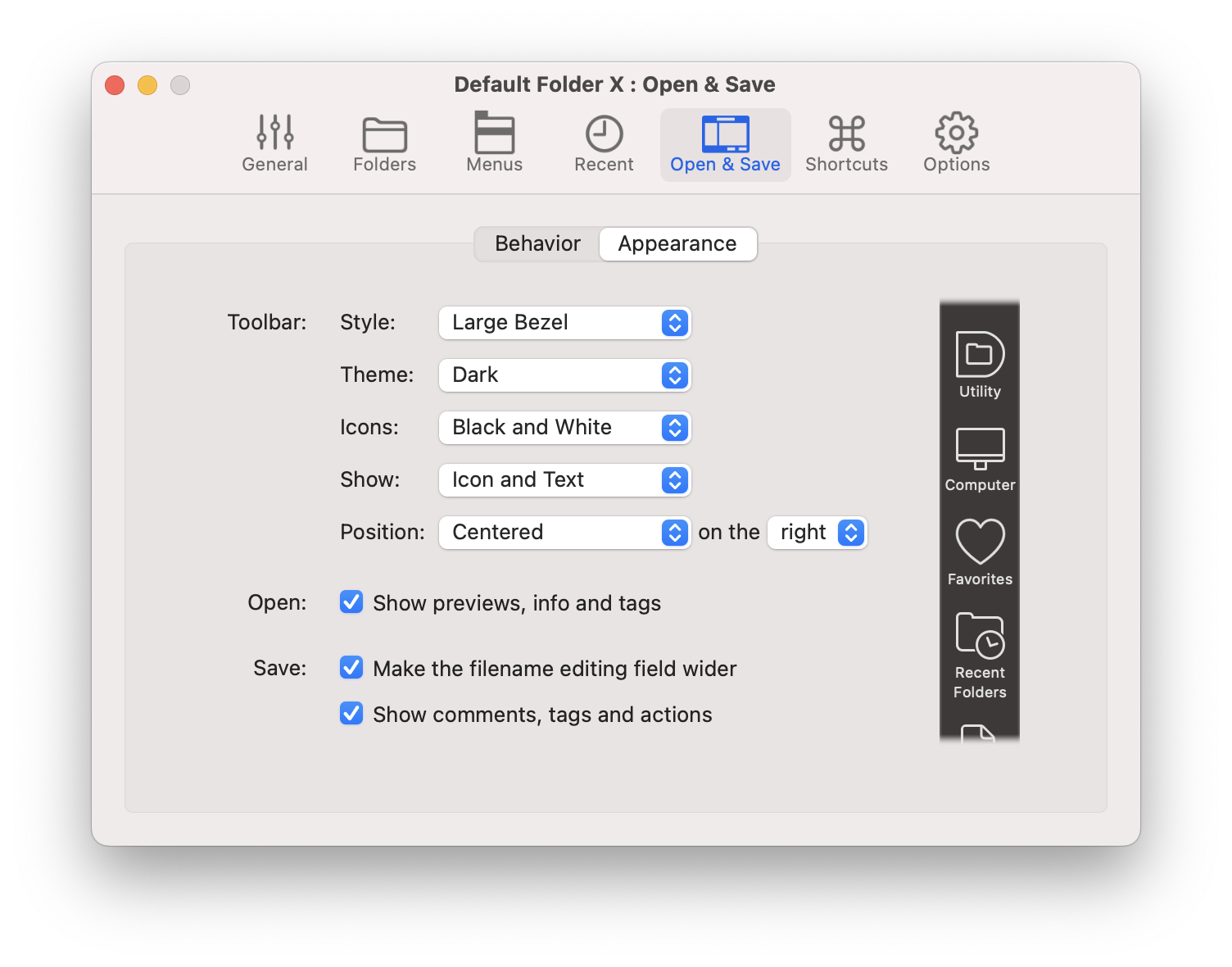
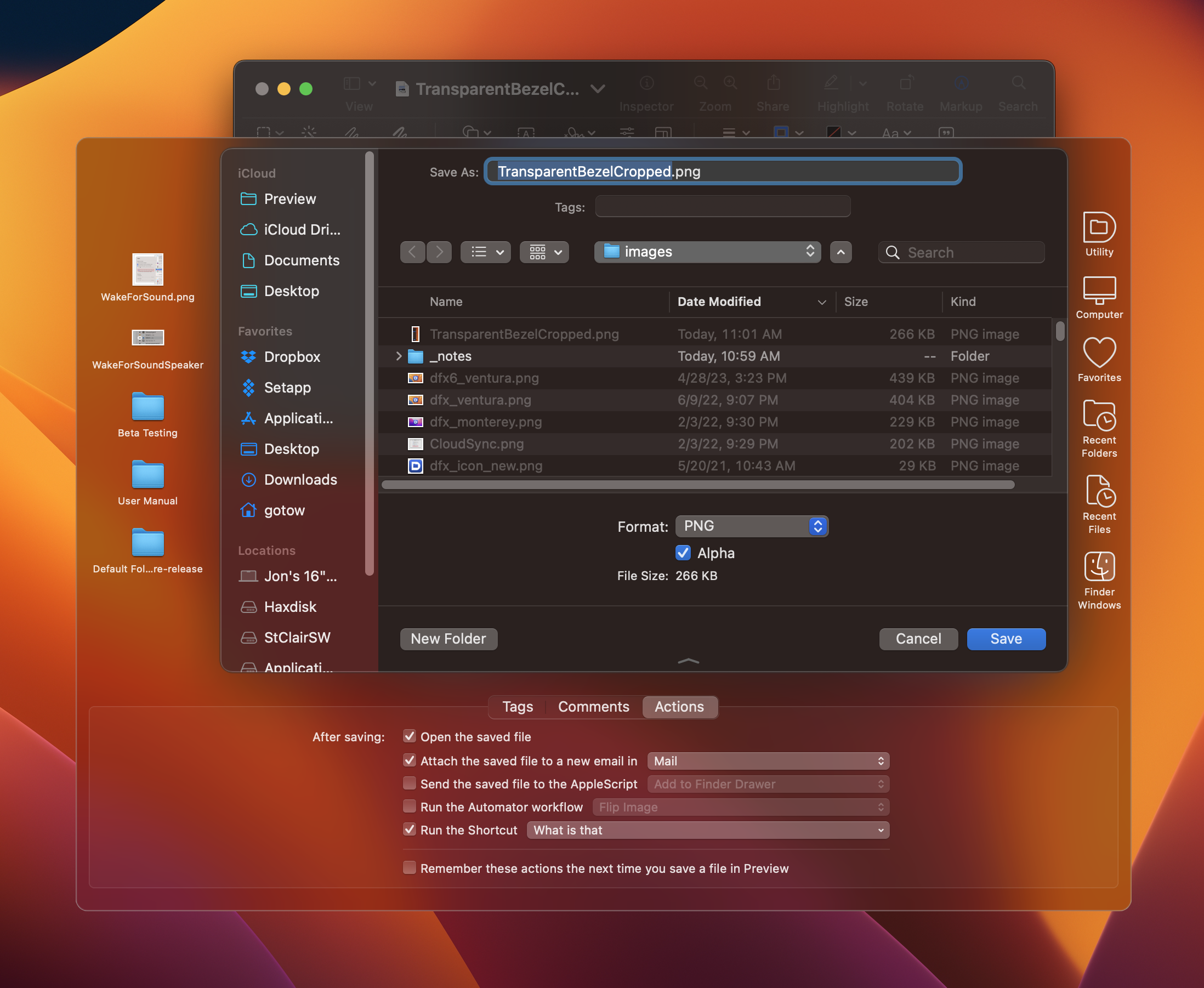
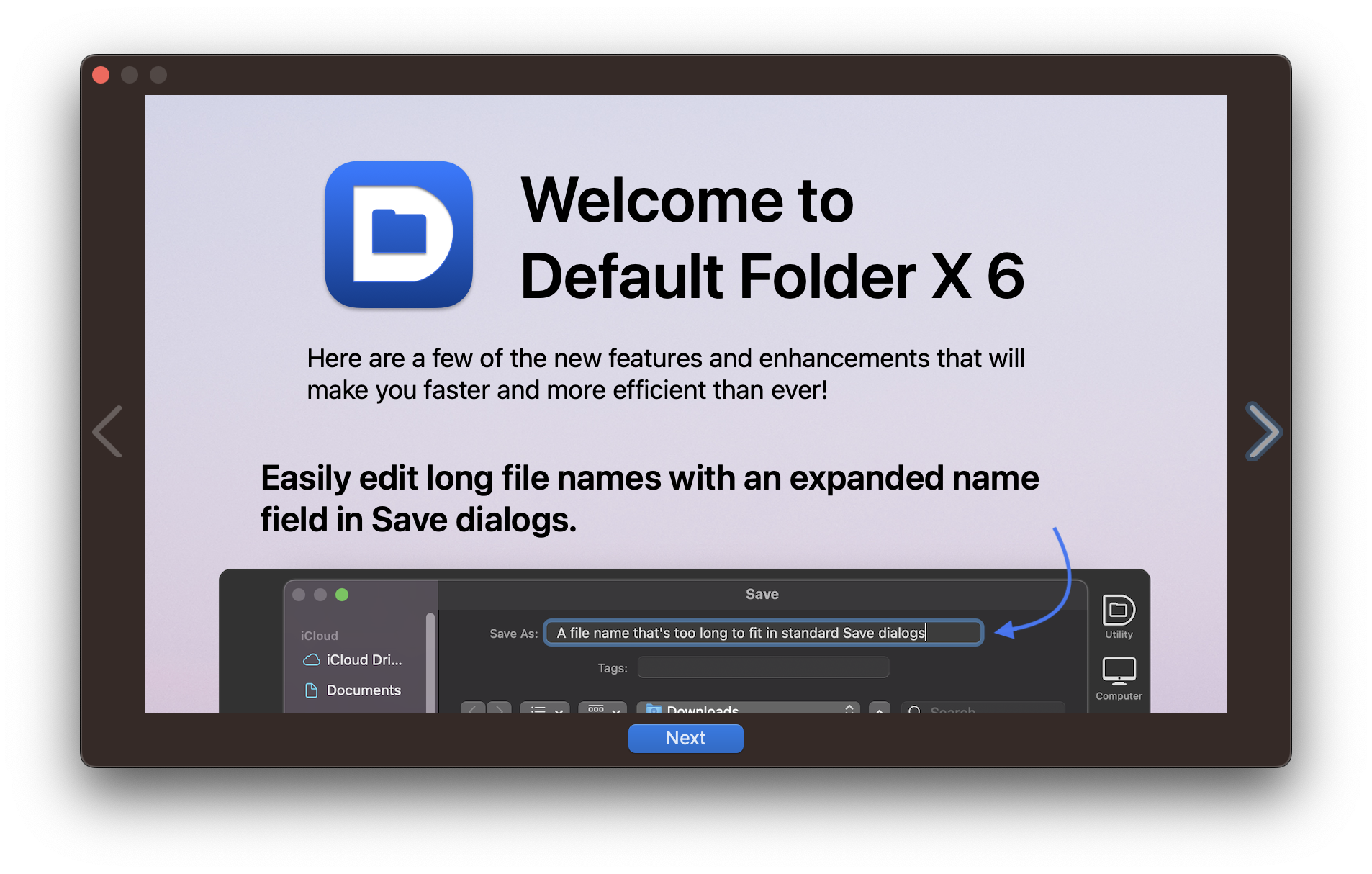
Today, the 6.0b5 public beta of Default Folder X is available and includes more improvements and fixes. The expanded filename edit field in Save dialogs now animates to its larger size, and the toolbar appearance settings include a more logical array of options to get the look you want.
Most importantly, the 6.0b5 build includes a number of bug fixes to address various problems, including making switching between folders in Open and Save dialogs faster and more reliable.
If you’re already running a beta version of Default Folder X, just choose “Check for Update” from its menu in your menu bar. Otherwise, you can read the full release notes and download the latest build on the Default Folder X Testing page.
Back to work!
Posted in Default Folder X, Sonoma, Version 6 | 2 Comments »
September 7th, 2023
A minor update to App Tamer fixes a problem with the recently-released “wake for audio” feature that’s designed to prevent sound from stuttering when apps are slowed down. Version 2.8 failed to recognize when sound was playing through speakers connected via HDMI or DisplayPort – something that’s not uncommon when using an external monitor that has built-in speakers. Version 2.8.1 fixes that.
App Tamer 2.8.1 also adds a few under-the-hood changes that should make things less awkward when App Tamer is forced to quit. Any apps that have been slowed down will be returned to their normal operating speed within a few seconds.
Details and download links are available on the App Tamer release page. If you’re already running App Tamer to optimize CPU usage on your Mac (smart person, you are) just choose “Check for Update” from the menu in the lower right corner of its window.
Posted in App Tamer, Sonoma | No Comments »
September 1st, 2023
A new iteration in the Default Folder X 6 public beta brings improvements to several of the new features.
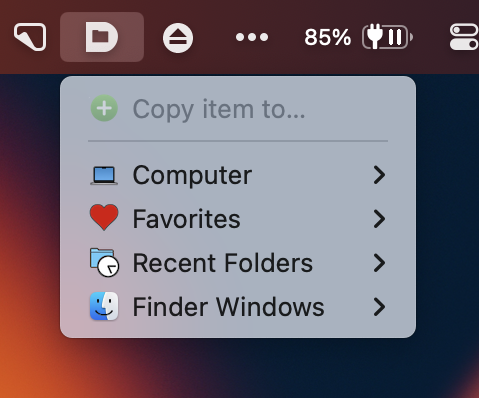
- Drag and drop prompts at the top of Default Folder X’s menu give you context as you select a destination for the files and / or folders you’ve dropped on Default Folder X menu bar icon.
- If you’ve set a keyboard shortcut to pop up one of Default Folder X’s toolbar menus, you’ll be reminded of the shortcut in the toolbar’s tooltips.
- Icons in the Finder drawer and file dialog toolbar have been improved further.
In addition, several performance bottlenecks have been identified and fixed, making Default Folder X’s toolbar appear faster next to Open and Save dialogs. A number of other bugs have also been corrected in the Drag Zone, Finder drawer, and drag and drop code, making everything work more smoothly.
As always, full details and download links are available on the Default Folder X Testing page, or if you’re already running a beta of version 6, just select “Check for Update” to see the release notes and download the new build.
Posted in Default Folder X, Sonoma, Uncategorized, Version 6 | No Comments »
August 25th, 2023
A new public beta of Default Folder X 6 is available, sporting two new styles for the toolbar that it attaches to Open and Save dialogs. In macOS 11 Big Sur and higher, you can now choose a translucent look. I have to admit that I didn’t think I’d personally like it because I expected it would impact legibility, but it actually works well – Apple deserves kudos for the latest incarnation of the visual effects view!
Default Folder X’s existing bezel and toolbar styles also gain a hint of translucence, but it’s much more subtle.
In addition, beta 3 includes a host of user interface improvements, including updating the “computer” icon to an M1 iMac, better harmonization of icon and font sizes and colors, improved support for the macOS “increase contrast” mode, and fixing issues on older versions of macOS.
Drag and drop has been improved, supporting Command+drag to always move items even when dragging them from one volume to another. And the menu that you’re given to choose a destination for the dragged items has been stripped of extraneous menu items.
Several annoying bugs have been fixed, including the keyboard focus being incorrect after using a Save dialog in some apps. This would result in the app’s keyboard shortcuts not working until you clicked on one of its windows.
The full list of changes and download links are on the Default Folder X Testing page, as usual. And if you’re already running a beta build, just choose “Check for Update” from its menu to get the new version.
And yes, to reiterate, the Default Folder X 6 betas support macOS 14 Sonoma.
Posted in Default Folder X, Sonoma, Version 6 | No Comments »
August 18th, 2023
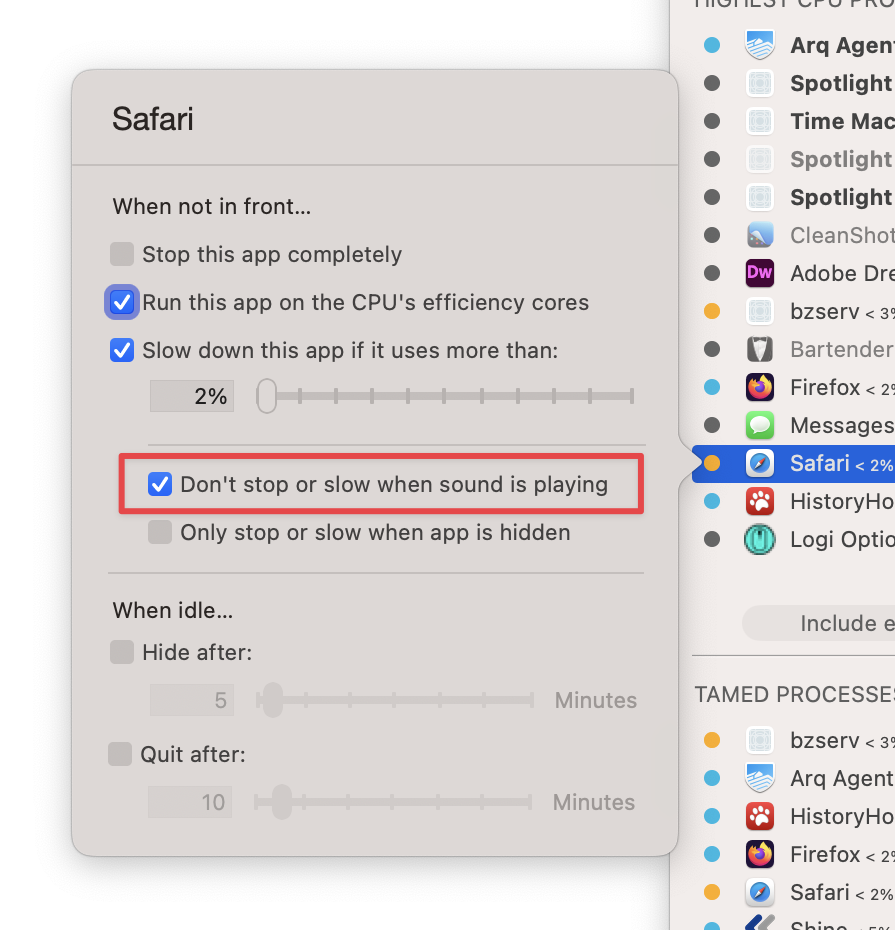
I’m pretty excited about a new setting in App Tamer because it eliminates the one down-side to using it. In earlier versions, if you used App Tamer to slow down Safari when it was in the background and then tried to play music or a video, the sound could stutter or skip if Safari wasn’t frontmost. Now, App Tamer can detect when sound is playing and keep specific apps awake – just turn on the new “Don’t stop or slow when sound is playing” checkbox and the problem is solved 🙂
Actually, App Tamer 2.8 will automatically turn on this setting for most browsers, music players and audio / video chat apps, so you don’t have to make any changes. Just launch the new version of App Tamer. There is no Step 2 – it just works.
In addition, as the title says, version 2.8 contains bug fixes to make it run smoothly on Apple’s public beta versions of macOS 14 Sonoma. It will also helpfully warn you if you try to slow down an important system service that might negatively impact the performance of your Mac, and delivers fixes for several bugs as well.
Go grab a copy from the App Tamer Release page. You’ll also find a complete list of changes in version 2.8, and a full change history if you’re into that kind of thing.
Posted in App Tamer, Sonoma | 6 Comments »
August 9th, 2023
I’ve come up with a solution to an annoying issue in App Tamer. When you throttle the CPU usage of apps, their attempts to play audio can result in the sound stuttering or cutting out if they’re getting too few CPU cycles. In some cases, this can even affect the sound played by other apps.
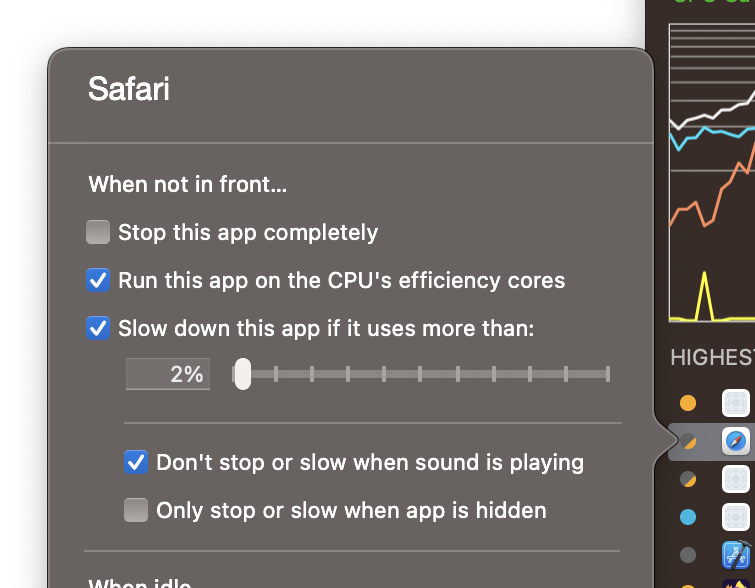
Version 2.8 of App Tamer adds a new checkbox to an app’s settings: “Don’t stop or slow when sound is playing”. App Tamer detects when there’s audio playing and runs those apps at full speed until the audio stops. This lets you throttle a web browser to 2% CPU when it’s in the background, but if you’re playing a YouTube video and put it in the background, the video will continue playing normally instead of (possibly) slowing down and stuttering.
So far this works very well – at the expense of letting those apps use more CPU while sound is playing, of course – but I’d like to get more feedback before officially releasing it.
The biggest issue is that there seems to be a bug in Monterey, Ventura and Sonoma that prevents apps from determining whether sound is playing when playback is going through AirPods or other Bluetooth devices. I’ve worked around the problem so it correctly handles all the devices I have here, but I’d really like to have more testing done with other system configurations and devices.
So – it’d be really helpful if you would:
- Download the beta build of App Tamer and launch it.
- Check the settings for the web browser you’re using – the “when sound is playing” checkbox should be turned on by default.
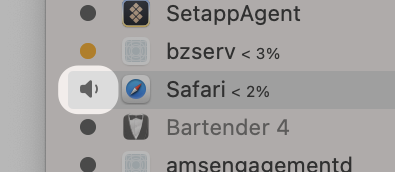
- Play some audio. You’ll see a little speaker next to the app in the process list (see the image over there → ).
- Make sure this works with a number of different audio output devices. Use your Mac’s speakers, your AirPods, AirPlay devices, Bluetooth speakers – whatever you’ve got.
- Shoot me an email at AppTamer@stclairsoft.com and let me know what version of macOS you’re using and what works and what doesn’t. Hopefully there aren’t any reports in the latter category 🙂
Thank you!
Posted in App Tamer, Development | 2 Comments »
July 28th, 2023
Version 6.0b1 of Default Folder X is available for public beta testing. It includes a number of refinements and enhancements to various features, as well as making the wider filename edit box an option in the settings. It also corrects bugs found in the previous build, and presents a welcome screen after launching to highlight some of the new 6.0 features.
We’re finally heading into the home stretch, and feedback has been great so far. Please keep your suggestions and bug reports coming!
Release notes and download links are available on the Default Folder X Testing page, though if you’re already running an earlier pre-release build, just choose “Check for Update” from Default Folder X’s menu to get the new build. Thanks!
Posted in Default Folder X, Sonoma, Version 6 | No Comments »
July 6th, 2023
Version 6.0a8 of Default Folder X is available. This is another pre-release build of Default Folder X 6, and primarily fixes bugs and stays in step with Apple’s beta releases of Sonoma.
macOS Sonoma Beta 3, released yesterday, includes fixes for several bugs I reported to Apple. That allowed me to remove some ugly workarounds and generally make Default Folder X function better. But true to the spirit of beta releases, there’s also a new bug in Sonoma B3 that impacts DFX, so there’s a workaround for that included in 6.0a8 😁
Long story short, if you’re running Sonoma Beta 3, make sure to use Default Folder X 6.0a8. But DON’T use it if you’re still running Sonoma Beta 2, as I’ve removed the ugly code that gets around the bugs in B2.
A list of changes and fixes, as well as download links, are available on the Default Folder X Testing page.
Posted in Default Folder X, Sonoma, Version 6 | No Comments »
June 19th, 2023
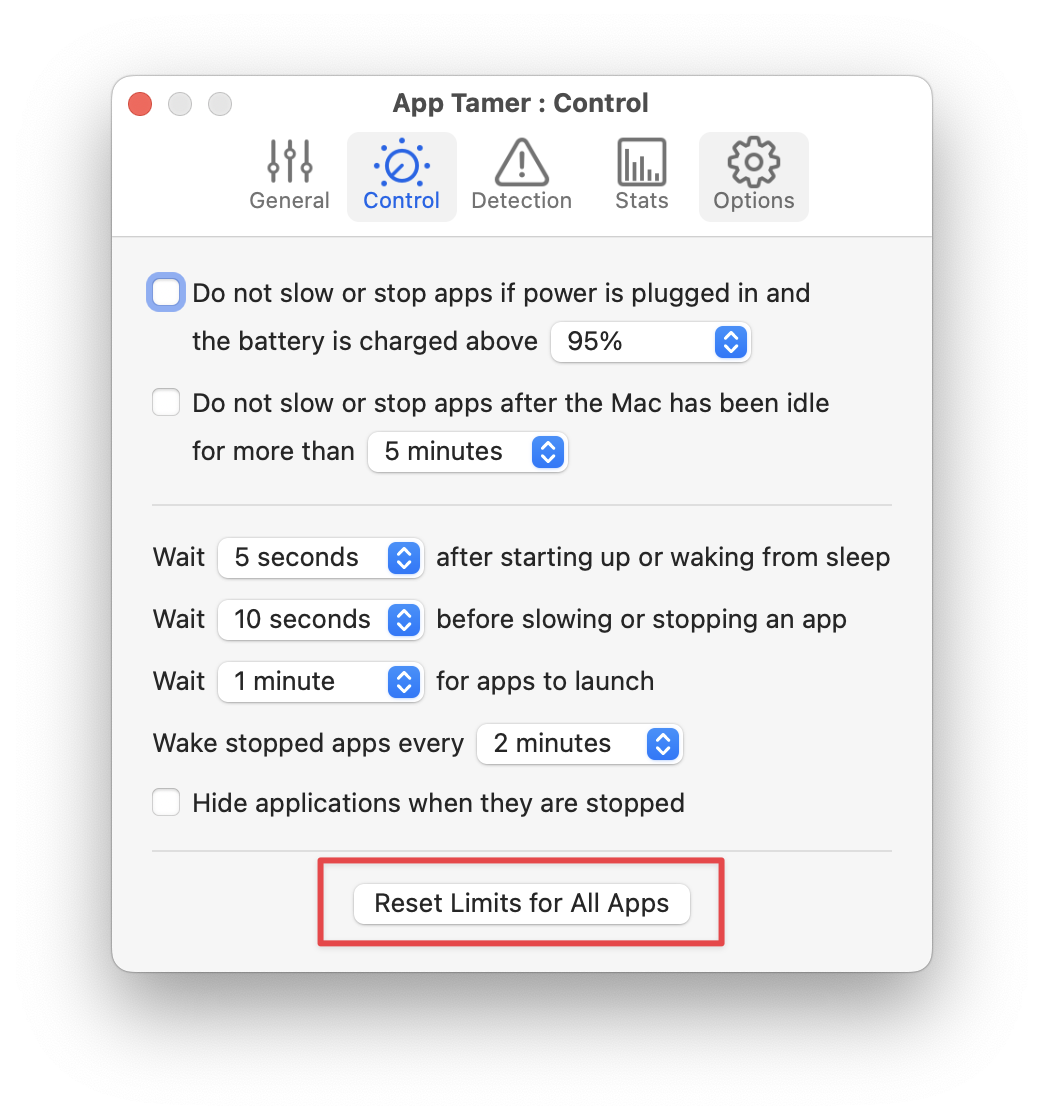
Version 2.7.7 of App Tamer is available. It now includes a button to reset all of its process taming settings back to their defaults, so if you’ve made lots of adjustments and things just aren’t working as you wanted, it’s easy to go back to square one and start over.
App Tamer 2.7.7 also addresses problems when running Windows applications via Parallels Desktop in Parallels’ “Coherence Mode”, updates some of its default settings, and corrects bugs that have been reported since the last release.
For details and download links, go to the What’s New in App Tamer page. Or if you’re already running App Tamer, just select “Check for Update” from its menu to get the new version.
Posted in App Tamer | 2 Comments »
June 11th, 2023
The latest preview release of Default Folder X 6 offers preliminary support for macOS 14 Sonoma, which Apple made available as a developer preview at WWDC.
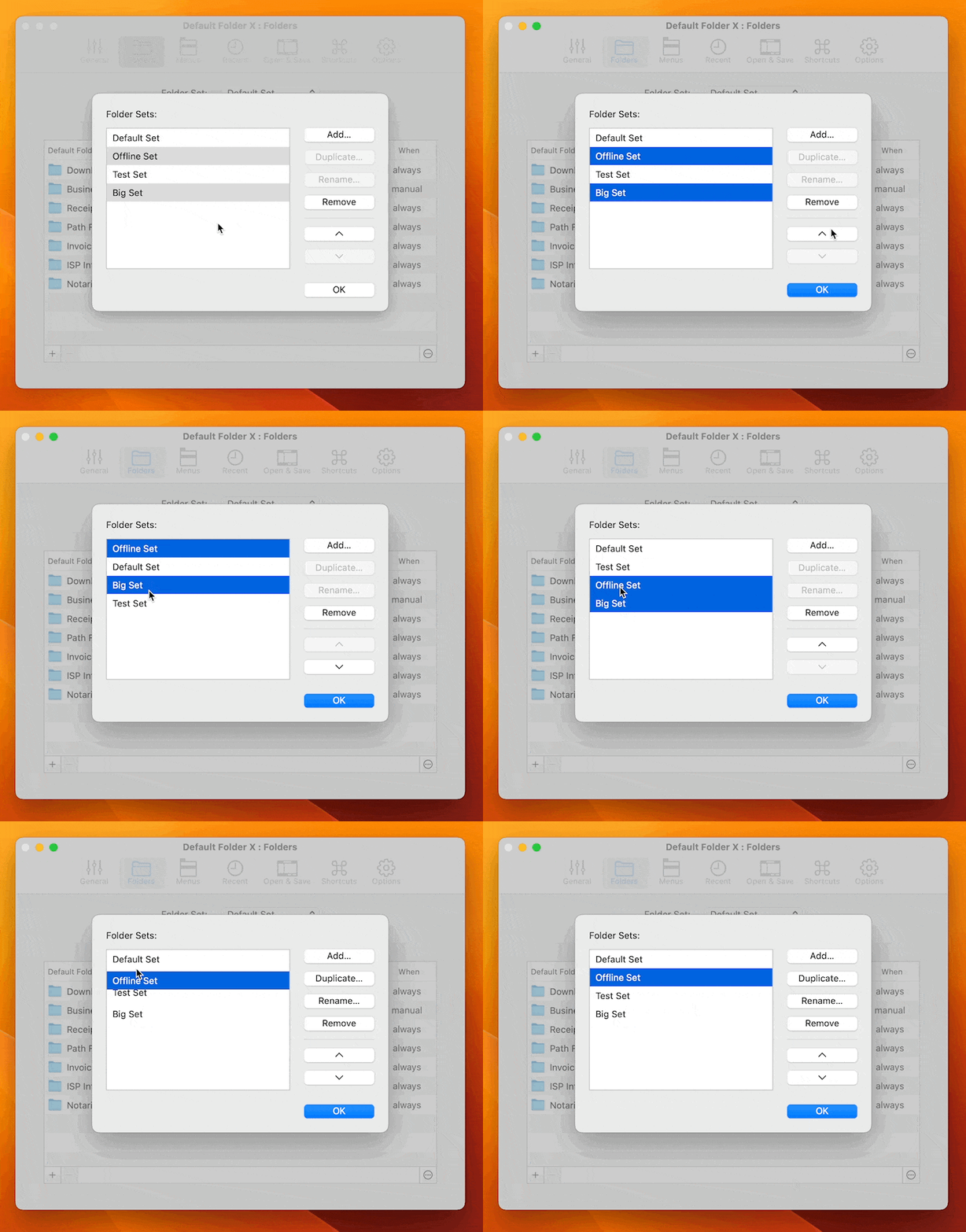
Default Folder X 6.0a6 also gives you better management of folder sets. Folder sets are a frequently-missed feature that some users find invaluable when switching between multiple workflows, clients, or projects. Since it’s frequently-missed, these changes won’t excite all Default Folder X users, but I know some of you have been asking for this repeatedly. You can now keep folder sets in whatever order you want, not just sorted alphabetically, and managing them is easy with multi-select and drag-and-drop:
Version 6.0a6 also adds multi-select to Default Folder X’s menu customization dialog, making it quicker to reorganize DFX’s menu in your menu bar, as well as addressing several bugs.
As usual, if you’re already running an earlier preview build of Default Folder X 6, just select “Check for Update” from its menu. If you’re new to Default Folder X 6, you can get more info and grab a copy from the Default Folder X Testing page.
Posted in Default Folder X, Sonoma, Version 6 | 7 Comments »
|

|
|

|
|